Play a live hand
Join other players online and think through every draw, discard and declaration.
Get the Rummy Master app for Android and bring classic rummy to your next game. Play online, invite friends to a private table, or practise offline.
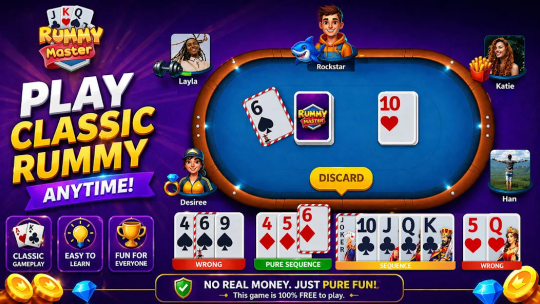
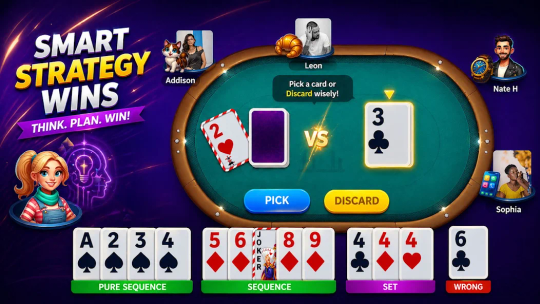
Game previews from our official store listing.
Rummy Master brings the familiar rummy card game to your phone. Build sequences and sets, consider each discard, and check your hand before declaring.
Our app includes live multiplayer tables, private games with friends and offline play against the computer. Choose how you want to play, then take the next hand at your own pace.
An APK is an Android installation file. Once the download completes, follow the installation steps to open the app.
Cards, strategy and company.
Your game, your way.
Stay with a familiar card game. Change the way you play.
Join other players online and think through every draw, discard and declaration.
Make a private game part of your catch-up. Use the create and join options inside the app.
Build confidence against the computer before returning to a multiplayer table.
Three simple steps get you to the Android installer.
Tap Download Rummy Master APK and follow the download page in your Android browser.
Keep the connection active. Check your browser’s Downloads list for the completed file.
Open the file, review Android’s installer information and finish the installation.
Pick the task you need. Each guide keeps the next step clear.
Find the completed file and work through the installer’s source permission.
Prepare your existing account and check the right update path.
Return to your profile and check a sign-in screen that will not load.
Match a download, installation or launch problem to the right checks.
Join a live table and build your hand against other players.

Bring your friends together in a private game.
Practise your decisions against the computer without a live table.
Quick answers about downloading, installing and playing.
It is a classic rummy card game with online multiplayer, private games with friends and offline play against the computer.
Use the Download Rummy Master APK button. Follow the download page, then look for the completed file in your browser’s Downloads list.
No. APK is an Android installation format. It cannot be installed on iOS by opening or renaming the file.
Keep your sign-in details available and follow the update instructions shown in the app. Avoid clearing storage or uninstalling as your first troubleshooting step.
Yes. The game includes private games with friends alongside online multiplayer and offline practice.
Start with our troubleshooting guide. For an account-specific issue, use the help option inside the app or the app support contact on our About page.
Get Rummy Master and choose a table that feels right.
