
One card game. Three ways to play.
Choose the Rummy Master table that fits your moment: a live match, a game with friends or a little offline practice.
Rummy Master game modes

Online multiplayer
Join a live table and build your hand against other players.

Private games
Bring your friends together in a private game.
Offline practice
Practise your decisions against the computer without a live table.
Online multiplayer
Play a live rummy match with other players. Read the table information before joining and keep your connection stable throughout the game. Focus on building valid sequences and sets while deciding which cards to keep or discard.
Private games with friends
Use the private-game options in the app to organise a table with friends. Follow the current create or join flow and share an invitation only with the people you want to play with. Keep account credentials separate from game invitations.
Offline practice
Play against the computer when you want to practise without joining a live multiplayer table. Use the time to recognise sequences, compare possible sets and think through a discard.
Understand your hand
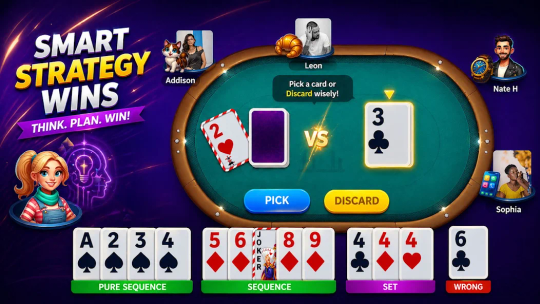
A sequence groups consecutive cards of the same suit. A set groups cards of the same rank in different suits. Use the rules and declaration checks shown in your game to understand which combinations are valid for that table.
Check your whole hand before declaring. The game’s current rules determine the required combinations.
Choose a comfortable session
Take breaks between games and keep play within the time you planned. Our responsible play page covers practical ways to manage a session.